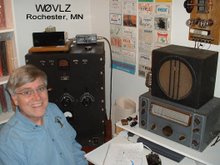
It was a fun year as a novice but I couldn't quite master 13 WPM. I ended up with a technician license on 2 mtrs for a few months until I was able to upgrade and get back on HF.

 bels, costs about $.30 each in single quantities. This is a great match for my operating style. Rarely do I get on the air and work 100s (or even 10s) of hams in a short time. It would take me forever to work through 100 or more pre-printed QSL cards. This way I can make up QSL cards 5-10 at a time and easily update them without throwing out a bunch of unused cards.
 These days I usually custom create my QSL cards to go with a particular event or location. Lots of places will print digital photos and most allow on-line submission. I've seen prices as low as 9 cents per print with no minimum. All that is needed is a jpg file the right size.
 Send the jpg file off to be printed.
 Other cheaper options may be available but for the QSL card information I use a Avery #5264 3.25" x 4" shipping label stuck to the back of the QSL card. Inside the Avery box are instructions telling how to use a template included in Microsoft Word to create six preprinted labels per sheet of shipping labels.